Can you actually download it, or is it just browser-based?
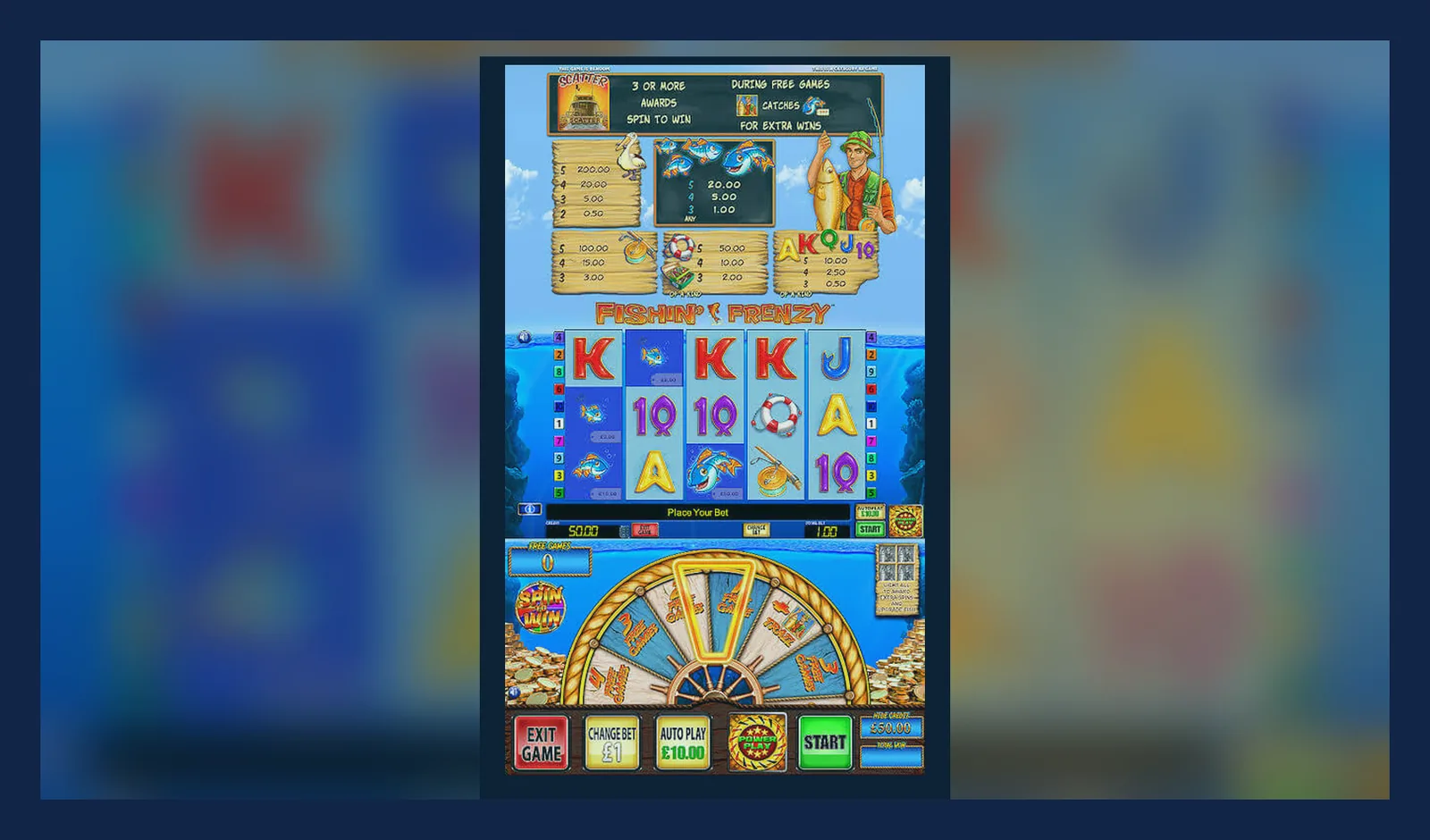
Most people searching for a Fishin Frenzy download want to know if there's a standalone app or if they're stuck refreshing a casino site in Chrome every time. The short answer: it depends which operator you're with, but the game itself doesn't live in the Play Store or App Store as a solo title.
Fishin Frenzy runs through casino platforms that hold a UKGC remote licence—the register and licence number sit in the footer of every legal site. Some operators offer their own apps; others rely on progressive web app shortcuts or plain mobile-browser play. Below, we'll walk through each route, the install steps, what your phone actually downloads, and the red flags that separate legitimate copies from dodgy clones.
The game card: what you'd see if it were in a store
Fishin Frenzy doesn't ship as a single-purpose app, but if it did, the metadata would look like this. Use these numbers to sense-check any APK or listing you find in the wild.
Four ways to get it on your home screen
Each path has a different balance of convenience and risk. We'll list them in order of safety, then give numbered steps for the two most common routes.
- Mobile browser on a UKGC-licensed site: no install at all; you bookmark the casino lobby and tap Fishin Frenzy from the game list. Zero APK risk, but you're always one tap away from the lobby instead of landing straight in the game.
- Add to home screen (progressive web app): the casino site offers an «Add to Home Screen» prompt in Safari or Chrome; you get an icon that opens the game in a chromeless browser window. Still browser-based under the hood, so your phone downloads cached assets—usually 50–90 MB—but no separate binary. UKGC licence protections apply because you're still on the operator's domain.
- Operator's own app from the Play Store or App Store: some UK casinos publish full native apps that pass Google's and Apple's real-money gambling policies. You download the operator's app (150–200 MB), log in, and launch Fishin Frenzy inside it. The operator's UKGC licence covers everything, and updates come through the official store.
- APK from a third-party site: high risk. You're sideloading an Android package that bypasses Play Store vetting. If the APK isn't signed by a licensed operator, you have no idea what's inside—keyloggers and payment-card scrapers are common. Even if the game logic is real, an unlicensed build won't connect to GAMSTOP, won't honour the £5 stake cap, and your deposits aren't covered by UKGC segregation rules.
Path 2—add to home screen—delivers the smoothest experience without the sideloading gamble. Here's how it works on Android and iOS.
Step-by-step: Android (Chrome)
- Open Chrome and navigate to a UKGC-licensed casino that lists Fishin Frenzy. Log in or create an account; age and identity checks happen before you can deposit.
- Find Fishin Frenzy in the slots lobby and tap it. Wait for the game to load fully in the browser.
- Tap the three-dot menu (top right) and select «Add to Home screen». Chrome will suggest a name—edit it to «Fishin Frenzy» if you like.
- Tap «Add». An icon appears on your home screen. The first time you open it, Chrome caches game assets—expect 60–85 MB of storage use.
- From now on, tapping the icon opens Fishin Frenzy in a standalone window. You'll still see a thin Chrome address bar at the top, proving you're on the licensed domain.
Step-by-step: iOS (Safari)
- Open Safari and visit the casino site. Log in and complete age verification—Apple's App Store rules and UKGC policy both require it before you can play for real money.
- Navigate to Fishin Frenzy and launch the game so Safari loads all scripts and assets.
- Tap the share icon (square with an arrow pointing up, centre bottom of the screen) and scroll down to «Add to Home Screen».
- Name the shortcut and tap «Add». Safari creates a web clip that behaves like an app icon.
- When you open it, the game runs in a chromeless Safari window—no address bar clutter, but the URL is still the operator's licensed domain. First load caches assets; budget 70–90 MB.
iOS doesn't allow true sideloading without jailbreaking, so you won't encounter APK-style risks. If someone offers you a Fishin Frenzy IPA file, walk away—it's either pirated or malicious.
Your first ten minutes, first hour, first week
Understanding what happens at each stage helps you spot problems early and know when to stop.
First ten minutes: you've installed the shortcut or opened the operator app. The game loads, you see the blue underwater backdrop and the «Fishin Frenzy» logo. Before you can spin, the site asks you to deposit. Debit cards (Visa, Mastercard), PayPal, Apple Pay, Trustly, and paysafecard are all legal; credit cards have been banned for gambling in the UK since 2020. Minimum deposits vary—£10.00 is typical—but affordability checks start from £150.00 net deposits a month, using credit-reference data at the first stage. You'll also see the stake selector. If you're 25 or older, spins go up to £5.00; if you're 18–24, the cap is £2.00. These are UKGC-mandated limits.
First hour: you've triggered the free-spins feature once or twice. The Fisher appears, picks a symbol, and you watch that symbol expand across the reels for ten spins. Maybe you've doubled your balance, maybe you've burned through your deposit—volatility swings both ways, and the RTP (usually 96.00–96.12% depending on the version) plays out over thousands of spins, not dozens. If you try to withdraw winnings, the operator will ask for documents: passport or driving licence, proof of address dated within three months, and sometimes a bank statement. This is standard KYC. First withdrawals take 24–48 hours while the compliance team checks everything; after that, e-wallets clear in a few hours, Faster Payments to your bank in the same day to two working days.
First week: you've hit a few more bonuses, maybe chased losses when the Fisher landed but picked a low-value symbol. By now you know whether the game's rhythm suits you or drives you up the wall. If you're spending more than you planned, every UKGC site offers deposit limits (daily, weekly, monthly) and links to GAMSTOP—one registration blocks every licensed operator for six months to five years. Your gambling winnings are tax-free; the operator pays 40% Remote Gaming Duty, raised in April 2026, but that's invisible to you.
What your phone actually needs
Blueprint Gaming's HTML5 build runs on most devices sold in the past five years, but older or budget handsets will struggle.
- Android 6.0 or later; anything running 5.x will time out or refuse to load WebGL assets.
- iOS 12.4 or later; earlier versions lack the JavaScript engine optimisations the game relies on.
- At least 2 GB of RAM—1 GB devices will force-close the game or the entire browser when memory pressure builds.
- 80–100 MB of free storage for cached assets, plus headroom for the operator app if you're using one (another 150–200 MB).
- A stable connection: 3G will load the game eventually, but every spin sends a bet-and-result packet to the server; packet loss triggers error screens and frozen reels.
Spotting clones and dodgy permissions
Fake Fishin Frenzy APKs appear on forums, file-sharing sites, and even some unlicensed casino mirrors. They promise «unlimited coins» or «no wagering», but the real goal is credential theft or ad fraud.
Red flags in an APK install prompt:
- Contacts permission: the game has no reason to read your address book.
- SMS or call logs: a slot doesn't need to send texts or see who you've phoned.
- Camera or microphone without an obvious feature (some live-casino apps use the camera for document upload, but Fishin Frenzy is a slot).
- Device admin rights: if an APK asks to become a device administrator, it's trying to make itself hard to uninstall.
- Install unknown apps: Android will warn you when sideloading. If the source isn't a recognised operator with a UKGC licence in the footer, stop.
Legitimate builds only request storage (to cache assets) and network access (to communicate with the game server). Anything beyond that is a warning. The safest route remains the operator's mobile site or official app from the Play Store or App Store, where Google and Apple vet every release.
FAQ
Do I need to download anything to play Fishin Frenzy on my phone?
Not necessarily. The game runs in your mobile browser on any UKGC-licensed casino site, so you can play without installing anything. If you want a home-screen icon for quicker access, use the «Add to Home Screen» feature in Chrome or Safari—it creates a shortcut that opens the game in a chromeless browser window. Some operators also offer native apps in the Play Store or App Store; those are full installs (150–200 MB) but still legal and safe because they're published by the licensed casino.
Is it safe to download a Fishin Frenzy APK from a third-party site?
No. APKs from file-sharing forums or unlicensed mirrors bypass Play Store vetting, so you have no guarantee the code is clean. Fake builds often include keyloggers, ad injectors, or payment-card scrapers, and they won't connect to GAMSTOP or honour the £5.00 stake cap. Even if the game logic is genuine, an unlicensed APK means your deposits aren't covered by UKGC segregation rules. Stick to the operator's mobile site or official app.
How much space does the mobile version take up?
If you add the game to your home screen via a progressive web app shortcut, expect 60–90 MB of cached assets in your browser storage. If you install the operator's native app, the app itself is typically 150–200 MB, plus the cached game assets on top. Budget 100 MB total for the web-app route, 250–300 MB if you're using a full casino app.
What's new in the latest version?
Version 3.8.1 (December 2026) improved spin-animation frame rates on older Android devices, fixed a bug where the Fisher's picking sequence occasionally skipped frames, and updated the paytable overlay to show amounts in the player's chosen currency without rounding errors. Blueprint also tweaked the sound balance so the reel-stop clicks don't drown out the background music. These are incremental polish updates; the maths and features remain identical to earlier 3.x releases.